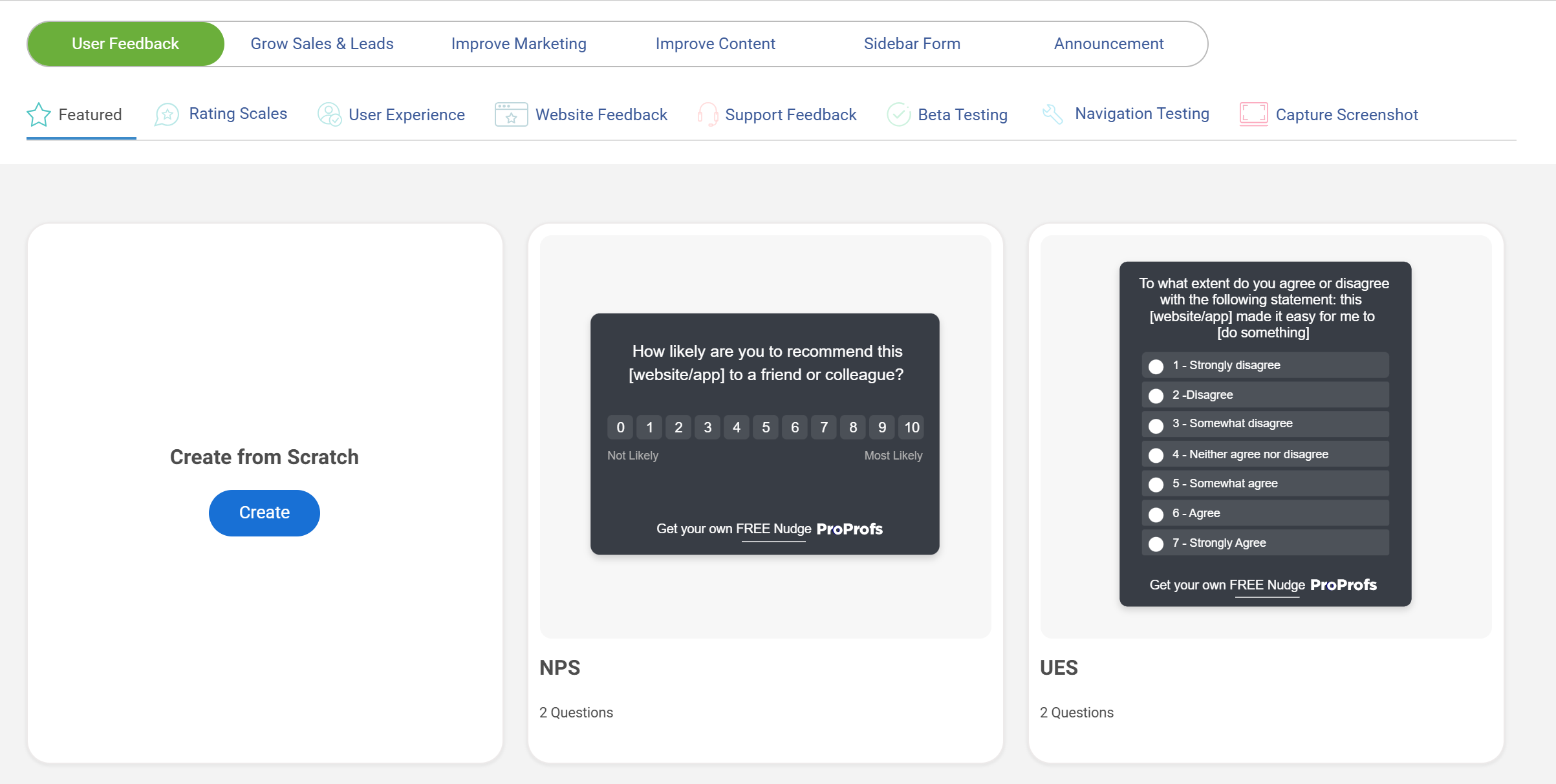
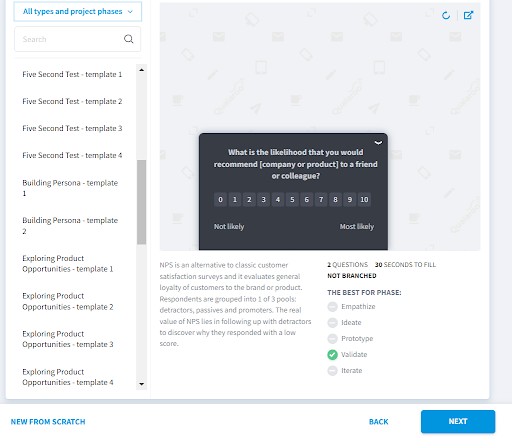
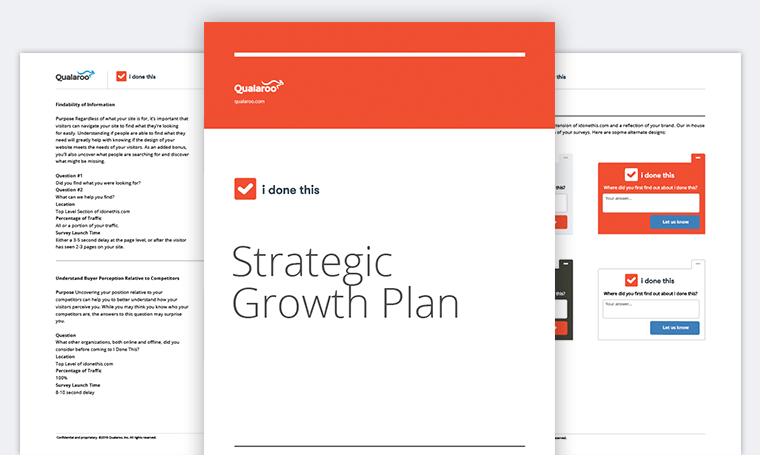
With customers being the driving force, understanding their sentiment is more critical than ever for businesses aiming to enhance their products, services, and overall customer experience.
Surveys are a pivotal tool in this quest, providing valuable insights directly from the users. However, the effectiveness of these surveys largely depends on the chosen communication channel.
This article delves into the nuances of selecting the right survey channel, discussing the merits and considerations of on-site, in-app, email, and SMS surveys to ensure businesses can gather high-quality feedback effectively.
Let’s go!
In-app Vs. Email Vs. SMS: In-Depth Comparison
| Parameter | On-Site/In-app Surveys | Email Surveys | SMS Surveys |
| Response Rate | High, due to immediate engagement | Variable, often lower due to inbox competition | High, due to the direct and personal nature |
| Feedback Depth | Generally brief due to context | Richer, as users have more space and time | Concise, given the character limit of texts |
| Contextual Relevance | Very high, as it’s within the usage experience | Lower, as it’s separate from the usage moment | Medium, can be timed but lacks usage context |
| User Engagement Time | Short, immediate feedback | Longer, users can take their time | Short, quick responses expected |
| Best Use Cases | Immediate, contextual feedback on the customer experience, and website and app usage | In-depth feedback, customer satisfaction | Immediate, transactional feedback |
| Accessibility | Depends on app’s user interface | Accessible via email platforms | High, as most people use SMS-capable devices |
| Data Security | Depends on app security implementation | Depends on the email provider’s security practices | Depends on SMS provider’s compliance and encryption standards. |
| Cost | Variable, based on development and maintenance | Generally low, unless using high-end tools | Can be higher due to SMS sending fees |
On-Site/In-App Surveys
On-site and in-app surveys are a handy tool for gathering immediate, context-rich feedback from users while they navigate your website and mobile apps. Imagine a visitor browsing your website; as they linger on a product page, a survey pops up asking about their experience or if they found what they were looking for.
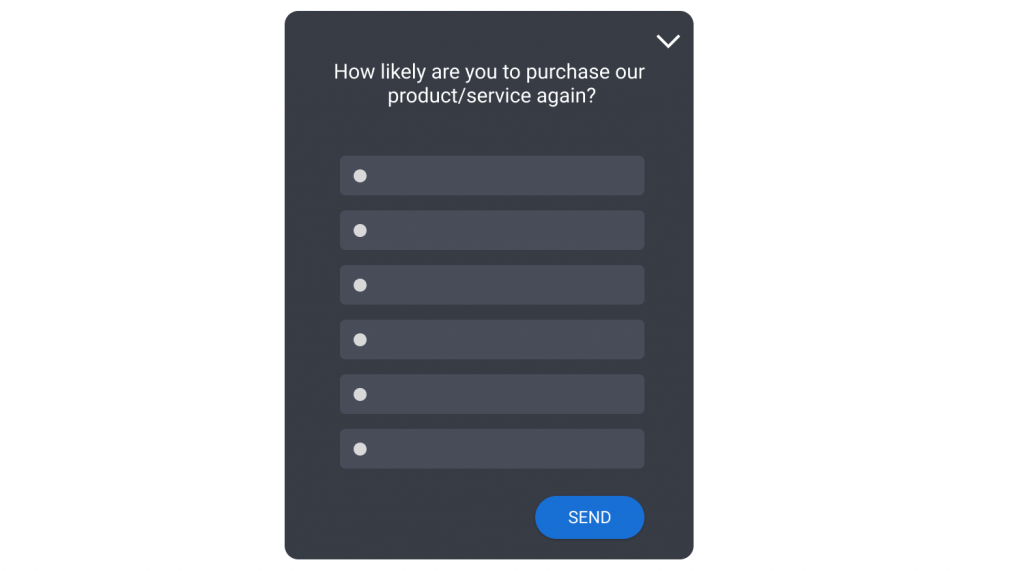
Similarly, you can collect real-time feedback from the app users with in-app surveys that pop up on the mobile screen.
You can set advanced triggers to target website visitors and app users at different stages in their buying journey based on their online behavior, browser, location, purchase history, and much more.
This real-time engagement enables businesses to capture the visitor’s thoughts and feelings at the moment, providing insights that can be pivotal for optimizing user experience and website design.
*Note: These are different types of on-site surveys that you can use for different purposes. Check them out here.
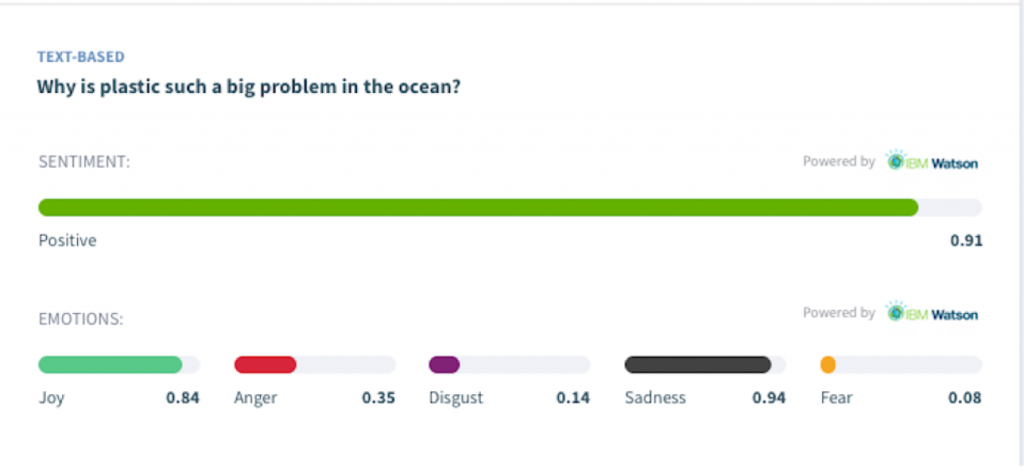
Besides collecting the pulse feedback, Qualaroo also allows you to gauge the sentiment that the written feedback represents using its IBM Watson-powered Sentiment Analysis.
Pros:
- High response rates due to immediate engagement.
- Contextual feedback provides insights into specific user experiences.
- Can be targeted to specific pages or user actions.
- Can be designed to feel minimally disruptive when timed and placed well, though this depends heavily on execution, not the format itself. A bottom-of-screen widget on desktop can still become a full-width overlay on mobile that blocks navigation or a checkout button if it isn’t built responsively.
Cons:
- May disrupt user experience if not implemented carefully.
- Responses may be influenced by the immediate context, lacking a broader perspective.
You can read more in detail: How to Conduct Successful On-Site Surveys on Your Website
What Mobile UX Considerations Apply to In-App and SMS Surveys?
In-app and SMS surveys are, by nature, mostly a mobile experience, and the comparison table above doesn’t fully capture how much execution quality varies on a small screen.
For In-App Surveys:
- Avoid corner or overlay widgets that can cover navigation, a sticky checkout bar, or form fields on a phone.
- Favor a bottom sheet or an inline card instead. Keep tap targets at least 44 by 44 pixels so dismissing the survey doesn’t accidentally trigger something underneath it.
- Never trigger a survey mid-task, like during checkout or while someone’s filling out a form, since interrupting a high-intent action costs you more in abandoned conversions than the survey response is worth.
- Make sure the survey works with a screen reader and can receive keyboard focus, since a survey that only some users can complete isn’t collecting representative feedback.
For SMS Surveys:
- Keep the question short enough to read in a single glance, since there’s no scrolling context like in an app or email.
- Confirm your link, if you include one, renders correctly on the small screen and doesn’t require zooming or precise tapping.
- And since SMS surveys arrive alongside personal texts, timing matters more here than on any other channel.
- A message sent at an odd hour feels more intrusive than the same prompt in an app during active use.
CASE STUDY: HOOTSUITE
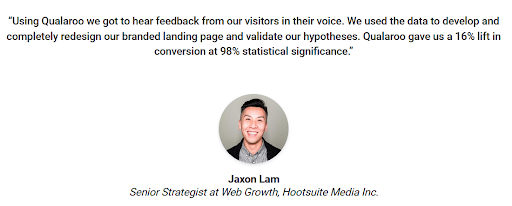
Hootsuite noticed a high bounce rate on its landing page but didn’t know why visitors were leaving without converting.
They deployed a single-question Qualaroo on-site survey asking visitors a direct question about whether the page gave them enough information to understand the product.
The responses showed a clear, repeated theme: a majority of visitors felt the page didn’t explain what the tool actually did clearly enough to convert.
Rather than acting on a handful of comments, the team waited for the pattern to show up consistently across responses before treating it as a real finding.
Hootsuite then rewrote the landing page copy and visuals to explain the product’s value more directly and reran the survey after the change to confirm that sentiment had shifted, not just that the page looked different.
The result was a 16% increase in conversion rate at 98% statistical significance, tying the change to a measurable business outcome rather than a subjective sense that the new page was better.
Read more about it here.
FREE. All Features. FOREVER!
Try our Forever FREE account with all premium features!
Email Surveys
Email surveys are a classic approach to gathering feedback, offering the flexibility to reach out to customers at any time, regardless of their current engagement with your brand.
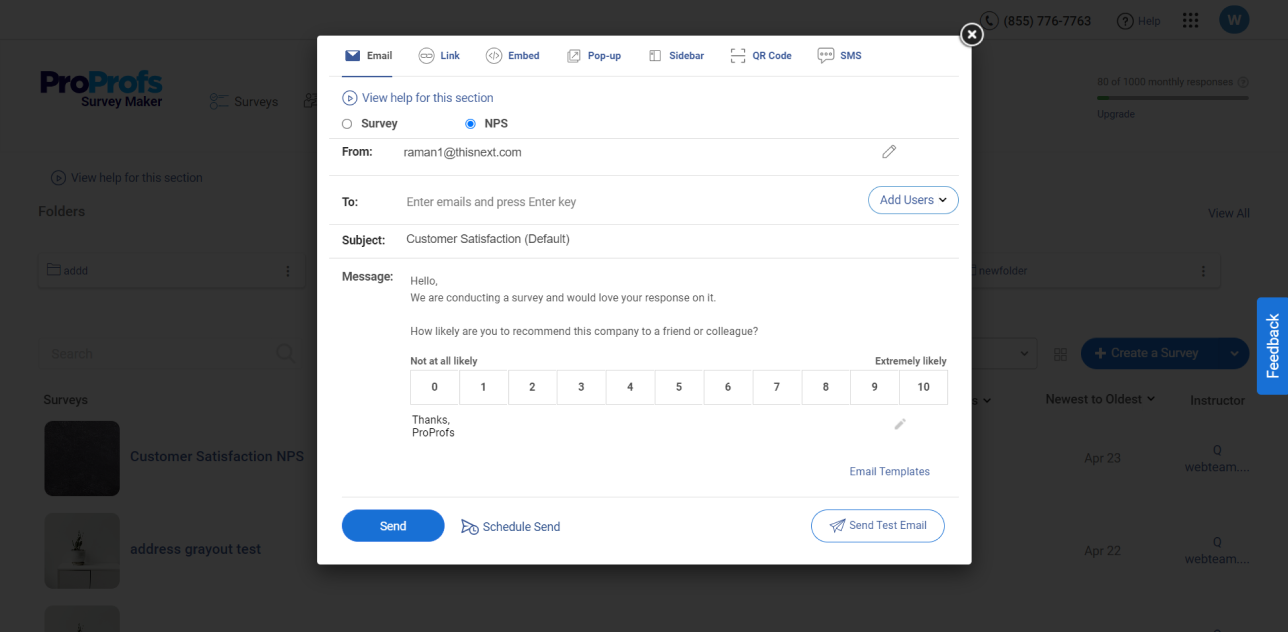
Picture a follow-up email sent after a customer completes a purchase, asking for feedback on their shopping experience.
This method allows for a more reflective response, as customers have the time to consider their overall experience before answering. Email surveys can cover a wide range of topics and provide valuable longitudinal insights when sent periodically.
You can either share a survey link in your email using a survey tool like Qualaroo or directly embed a survey in your email with the help of ProProfs Survey Maker.
Pros:
- Can reach a wide audience, including infrequent visitors.
- Allows for more thoughtful, comprehensive responses.
- Easy to track and analyze trends over time.
Cons:
- Lower response rates compared to more immediate methods.
- Risk of emails being ignored or filtered into spam.
- May not capture the immediacy of a user’s experience or issues.
Bonus read: Follow-Up Survey Email: How to Get More Responses in 2026
SMS Surveys
SMS surveys leverage the ubiquity and convenience of mobile phones, offering a direct and succinct way to gather feedback. Consider a quick text message survey sent after a customer interacts with a service hotline, asking for a rating of their experience.
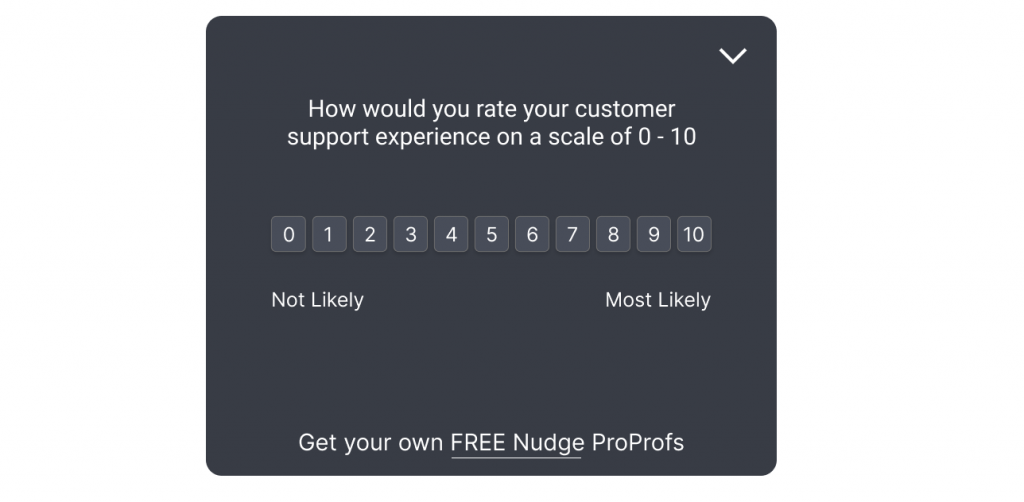
This method is highly accessible and can yield prompt responses, making it an excellent tool for immediate feedback on specific interactions or services.
Pros:
- High open and response rates due to the personal and immediate nature of text messages.
- Convenient for customers, encouraging quicker feedback.
- Ideal for concise questions or ratings, making analysis straightforward.
Cons:
- Limited by character count, restricting the depth of questions and responses.
- May be perceived as intrusive if not done with consent.
- Dependence on customers having access to and regularly using mobile phones.
How Should You Handle Consent Across These Channels?
Each channel carries different consent obligations, and treating them the same is a compliance risk.
SMS surveys generally require explicit opt-in consent before you can text someone; in many jurisdictions, this is a legal requirement, not just good practice (in the US, under the Telephone Consumer Protection Act, for example).
Make sure your opt-in flow is clear about what they’re agreeing to, and provide an easy way to opt out of future messages.
Email surveys typically rely on the same consent basis as your other marketing or transactional email, but sending a survey to someone who only gave you a transactional email address, like an order confirmation, is a narrower use than they may have agreed to. Keep survey sends within the scope of what the person actually consented to receive.
In-app and on-site surveys still involve tracking user identity and behavior to target and time them, so disclose this in your privacy policy, and get explicit consent where regulations like GDPR or CCPA require it, particularly if you’re linking responses to an identified user through something like the Identity API.
None of this needs to slow down setup much, but skipping it creates a bigger cleanup later, especially for SMS, where the compliance risk is the most direct.
Why You Shouldn’t Compare Results Across Channels Directly
The comparison table earlier in this article shows how channels differ on response rate and depth, but it’s worth being explicit about a related issue: the people who respond on each channel aren’t necessarily the same people, or even a comparable slice of your audience.
- Someone who responds to an in-app survey is, by definition, actively using your product at that moment, likely a more engaged user than average.
- Someone who responds to an email survey days later has had time to reflect, and may be a different personality type than someone who fires off a quick SMS rating.
Younger or more mobile-first users may skew your in-app and SMS data, while your email respondents may skew toward a different demographic entirely.
This doesn’t mean the data from any one channel is invalid.
It means a CSAT score of 8.5 from SMS respondents and a CSAT score of 7.2 from email respondents aren’t necessarily telling you your SMS experience is better, they may just reflect who typically responds on each channel.
Track trends within a channel over time, and when combining insights across channels, note the source rather than blending them into one undifferentiated number.
FREE. All Features. FOREVER!
Try our Forever FREE account with all premium features!
Maximizing Insights Through Diverse Feedback Channels: A Strategic Approach
In the quest to deeply understand and engage with customers, tapping into multiple feedback channels emerges as a strategic necessity rather than a mere option.
This approach not only diversifies the type of feedback received but also amplifies the volume and quality of insights, guiding businesses toward more informed decisions and enhanced customer experiences.
Let’s explore the myriad advantages of embracing a multi-channel feedback strategy, punctuated with examples to illustrate its transformative impact.
1. Broadening Reach and Engagement
By employing a variety of feedback channels, you can cast a wider net, engaging a more extensive segment of their customer base. For instance, while younger demographics may be more responsive to in-app surveys, older customers might prefer the traditional email route.
Similarly, SMS surveys can capture the attention of on-the-go consumers, offering convenience and immediacy.
A retail brand, for example, could use in-app surveys to gather immediate post-purchase feedback, email surveys for detailed product reviews, and SMS for quick satisfaction polls post-customer service interactions.
2. Enhancing Feedback Quality Through Contextual Relevance
Different channels offer unique contexts that can significantly influence the quality and relevance of feedback. In-app surveys, presented at the moment of interaction with a service or feature, can yield highly relevant insights into user experience and immediate reactions.
Conversely, email surveys allow customers the time and space to provide more thoughtful and detailed feedback, which is beneficial for understanding complex experiences or long-term satisfaction.
A financial services app might use in-app surveys for instant feedback on a new feature while deploying email surveys for comprehensive feedback on overall customer satisfaction.
3. Counteracting Survey Fatigue
Survey fatigue is a real concern in today’s information-overloaded environment. By diversifying the channels through which feedback is requested, businesses can mitigate the risk of overwhelming their customers with frequent surveys.
This approach not only respects the customer’s preferences and convenience but also maintains the quality of responses.
For example, a hospitality business could alternate between SMS surveys for quick post-visit impressions and more detailed email surveys for in-depth feedback on stays, ensuring customers don’t feel bombarded.
FREE. All Features. FOREVER!
Try our Forever FREE account with all premium features!
4. Catering to Customer Preferences and Accessibility
Recognizing and accommodating the diverse preferences of customers is key to increasing response rates and gathering meaningful feedback. Some users may find typing out responses on a mobile keyboard cumbersome, preferring the ease of tapping a rating in an SMS. Others may appreciate the ability to articulate their feedback in an email.
Ensuring accessibility across channels matters here too. That includes voice-to-text input where relevant, but also keyboard navigation and screen-reader compatibility for in-app and on-site surveys, and plain, jargon-free language for SMS surveys, where there’s no room for a follow-up explanation if a question is unclear.
An e-commerce platform might use SMS for simple satisfaction ratings while offering more accessible, detailed email surveys for comprehensive feedback.
5. Real-Time Feedback and Actionable Insights
The immediacy of certain channels, particularly in-app/ on-site and SMS surveys, facilitates real-time feedback that is crucial for timely interventions and improvements.
Quick polls or satisfaction ratings right after an interaction can alert businesses to issues that need immediate attention, allowing for swift action to enhance customer satisfaction.
A food delivery service, for example, might use SMS surveys to gauge satisfaction immediately after a delivery, enabling rapid response to any negative experiences.
6. Strategic Data Collection and Analysis
Employing multiple channels allows businesses to collect a richer data set, providing a more nuanced understanding of customer experiences and expectations. This strategic data collection can inform more targeted and effective improvements across products, services, and customer touchpoints.
Harnessing Diverse Feedback for Comprehensive Insights
On-site, email, and SMS surveys each play a pivotal role, offering unique insights through their distinct approaches. On-site surveys capture the pulse of immediate user experiences, email surveys provide depth and breadth over time, and SMS surveys offer the unparalleled immediacy of mobile communication.
Keep in mind that each channel also reaches a somewhat different slice of your audience, so use them to build a fuller picture together, not to make direct apples-to-apples comparisons between them.
The key to harnessing the power of these diverse methods lies in leveraging a reliable, multifaceted tool that seamlessly integrates all three.
Such a tool empowers businesses to engage with their audience where they are most comfortable, ensuring a holistic understanding of customer needs and experiences across various touchpoints.
FREE. All Features. FOREVER!
Try our Forever FREE account with all premium features!

 We'd love your feedback!
What did you like & how can we make it even better?
 Thanks for your feedback!
 Ask Your Question
Have a question? Get expert help to make your decision easier.